1.3 Redemption Codes
Redemption codes are the recommended way to recharge: pay → get the code → paste to redeem → credited instantly, with no card binding or sensitive information required throughout. It also makes it convenient for teams to purchase and distribute centrally.
Step 1: Buy a redemption code
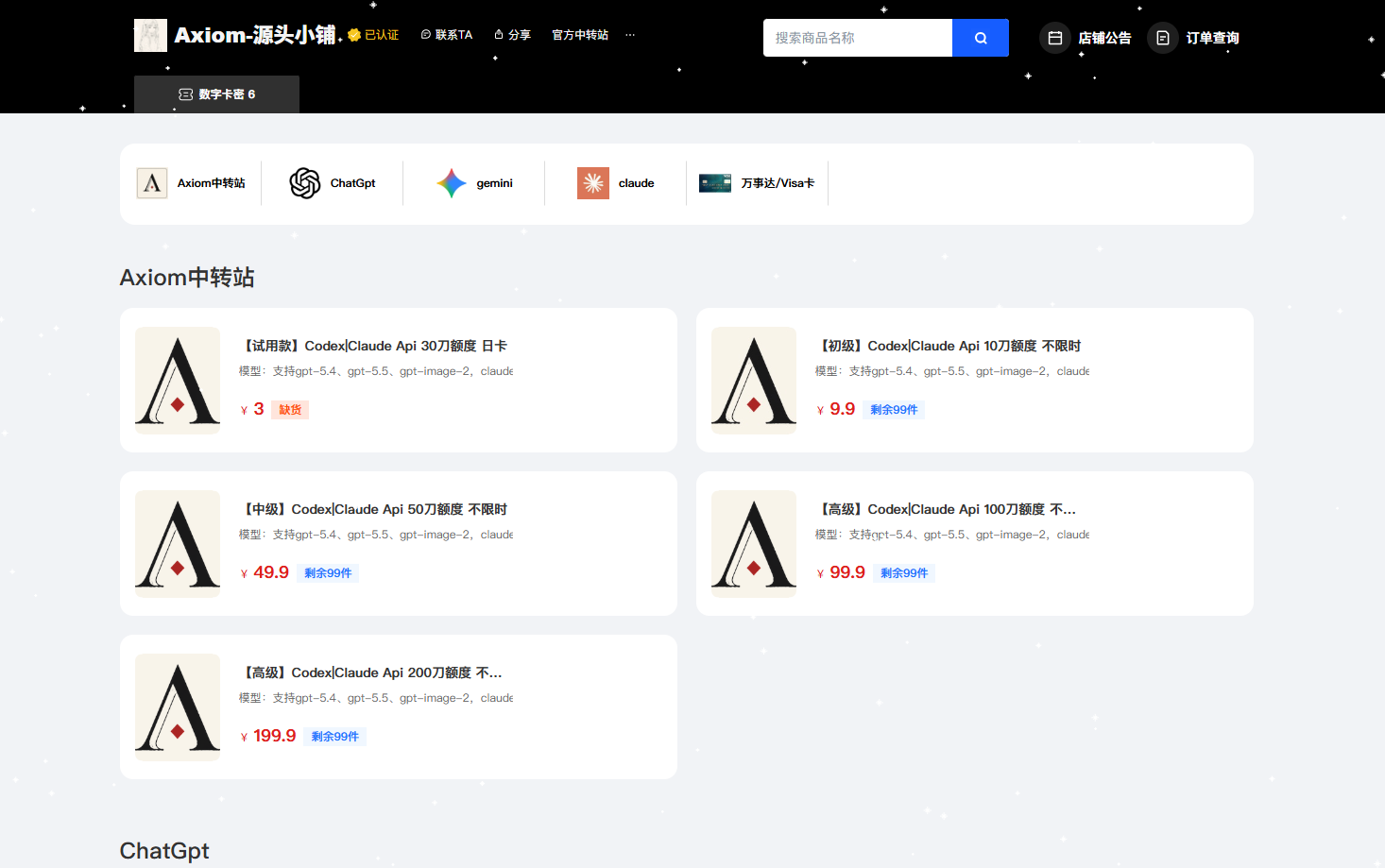
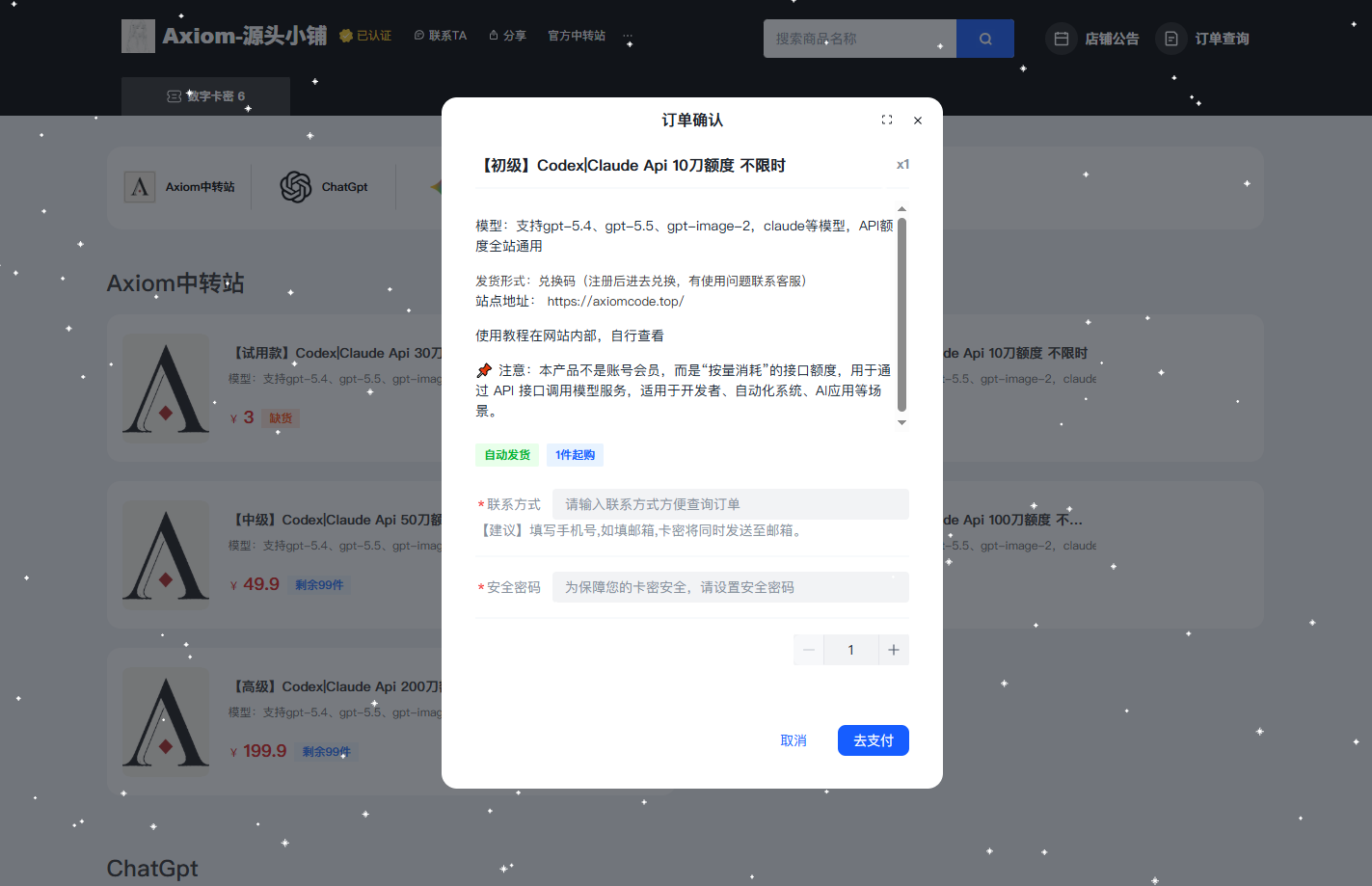
Visit the shop at https://pay.ldxp.cn/shop/axiom, choose a denomination, enter the email to receive the code, and scan to pay. After success, the page displays the redemption code directly, and a copy is also sent to your email.
Step 2: Open the recharge page
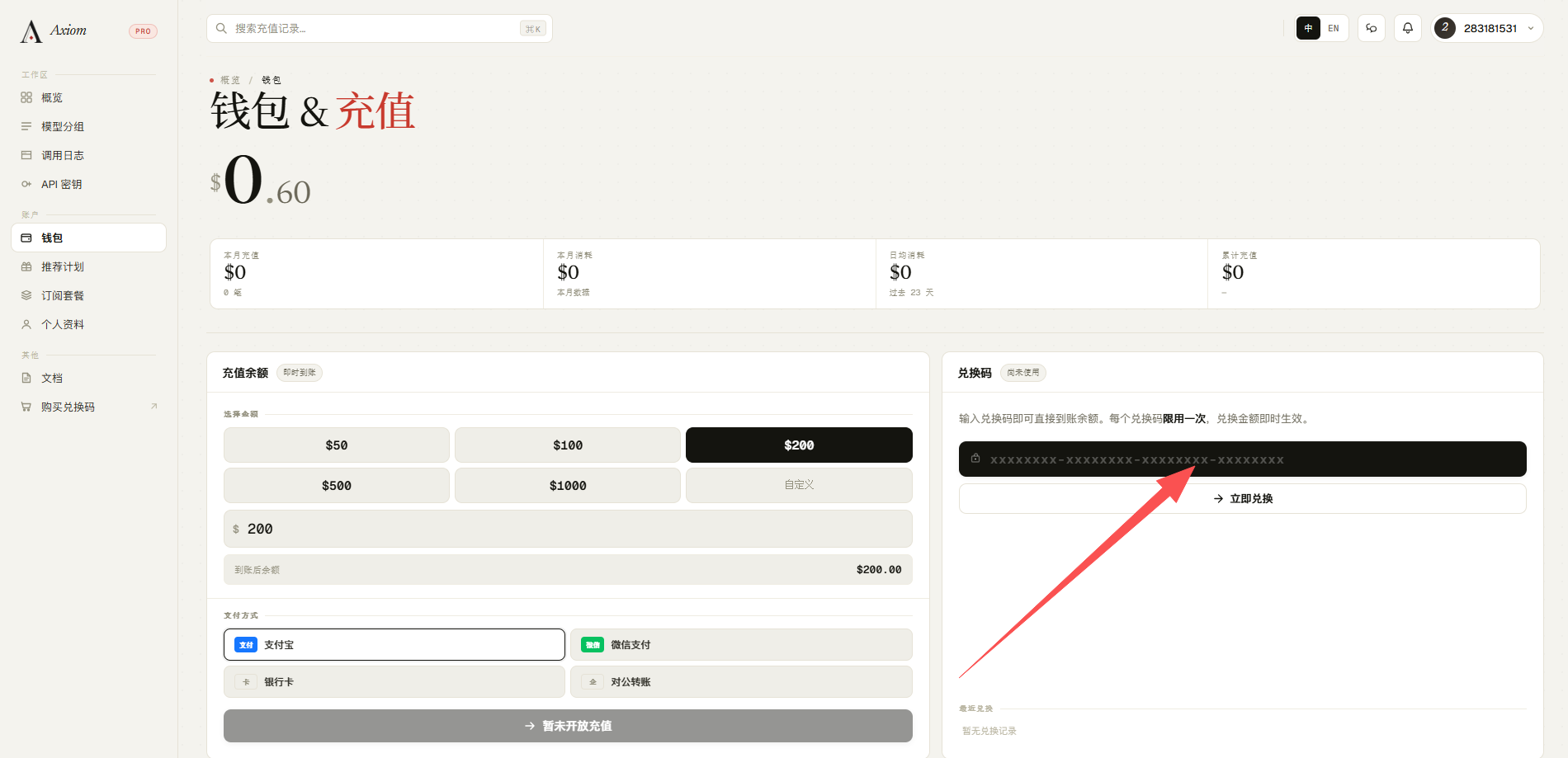
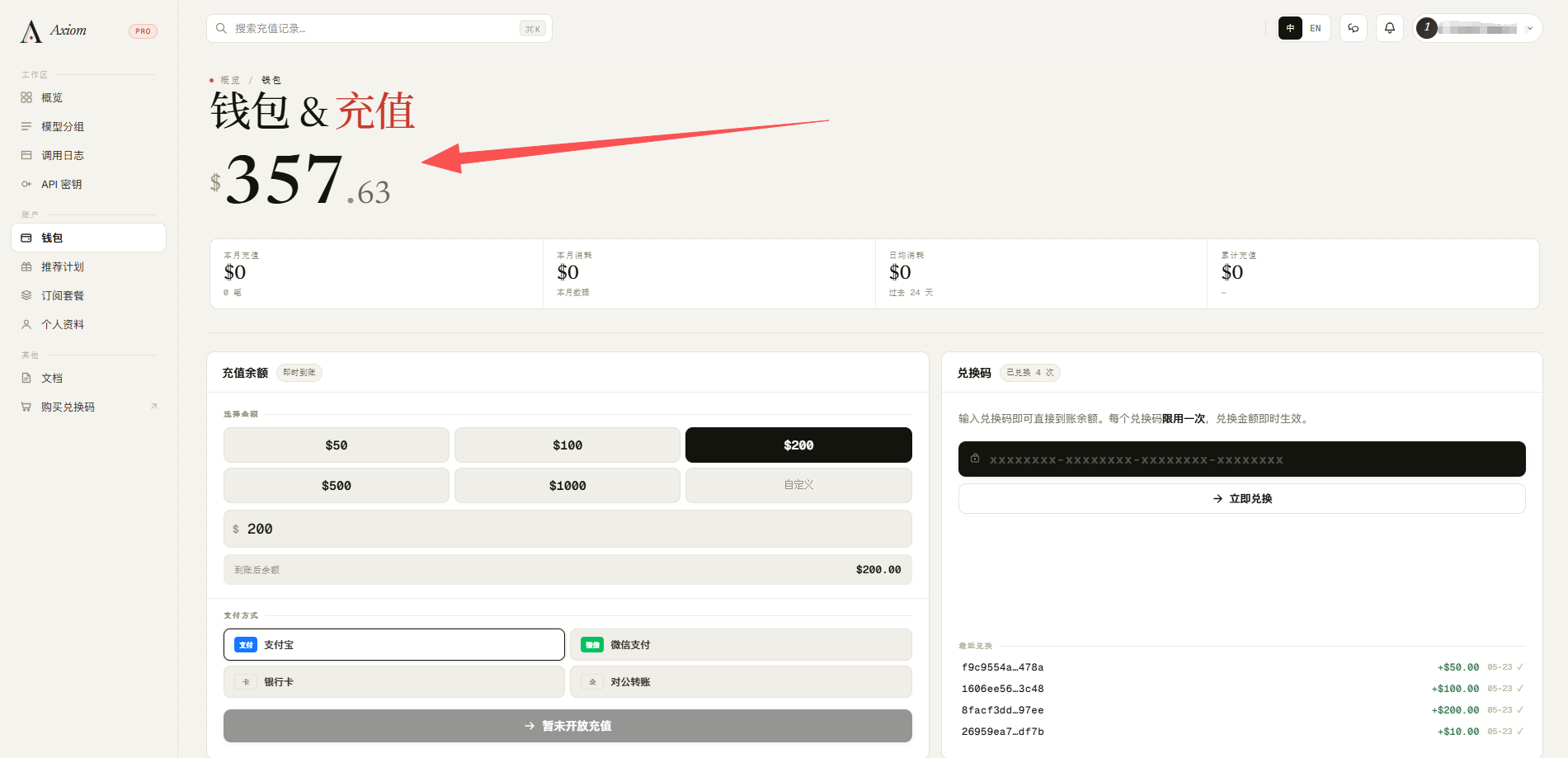
Log in to https://axiomcode.top/billing and find the "Redemption code" section on the page.
Step 3: Enter and submit
Paste the complete redemption code into the input box and click Submit.
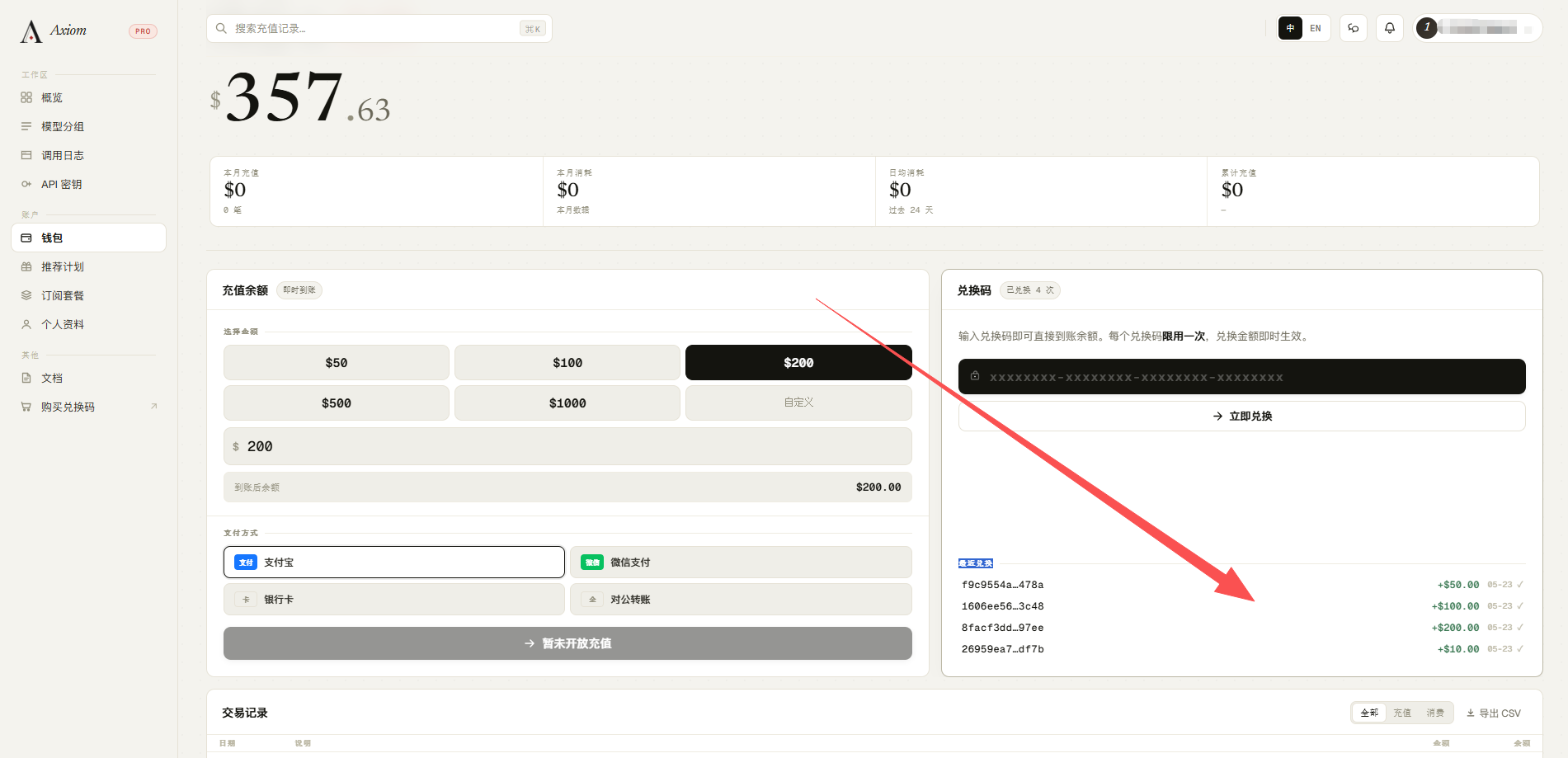
Step 4: Verify the credit
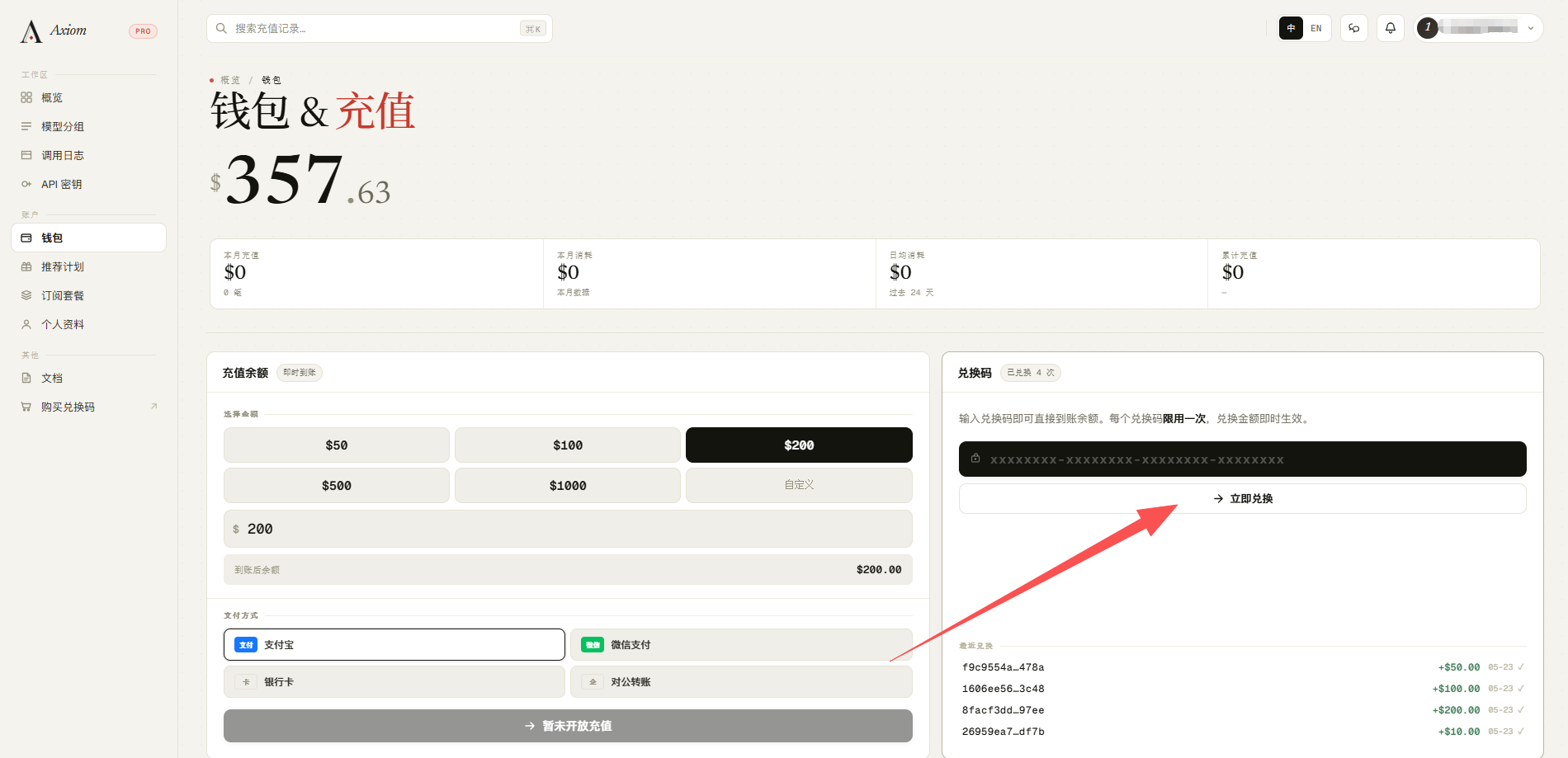
Refresh the page and check your wallet history; a type shown as "Recent redemption" means it succeeded.
Key reminders
A redemption code is as good as cash
Before it is redeemed, anyone who has the code can use it, so keep it safe and do not share it publicly or send out screenshots.
- Redemption codes are case-sensitive and must be redeemed one at a time (batch input is not supported).
- For your first time, we recommend buying the smallest denomination to walk through the process.
- An "invalid" message usually means: missing characters, wrong case, or already used. If your balance doesn't update after redeeming, refresh the page first.