2.1 Open the Keys Page
After topping up, the next step is to generate an API Key — every client uses it to authenticate. This section starts by locating the key management page.
Step 1: Open the Console
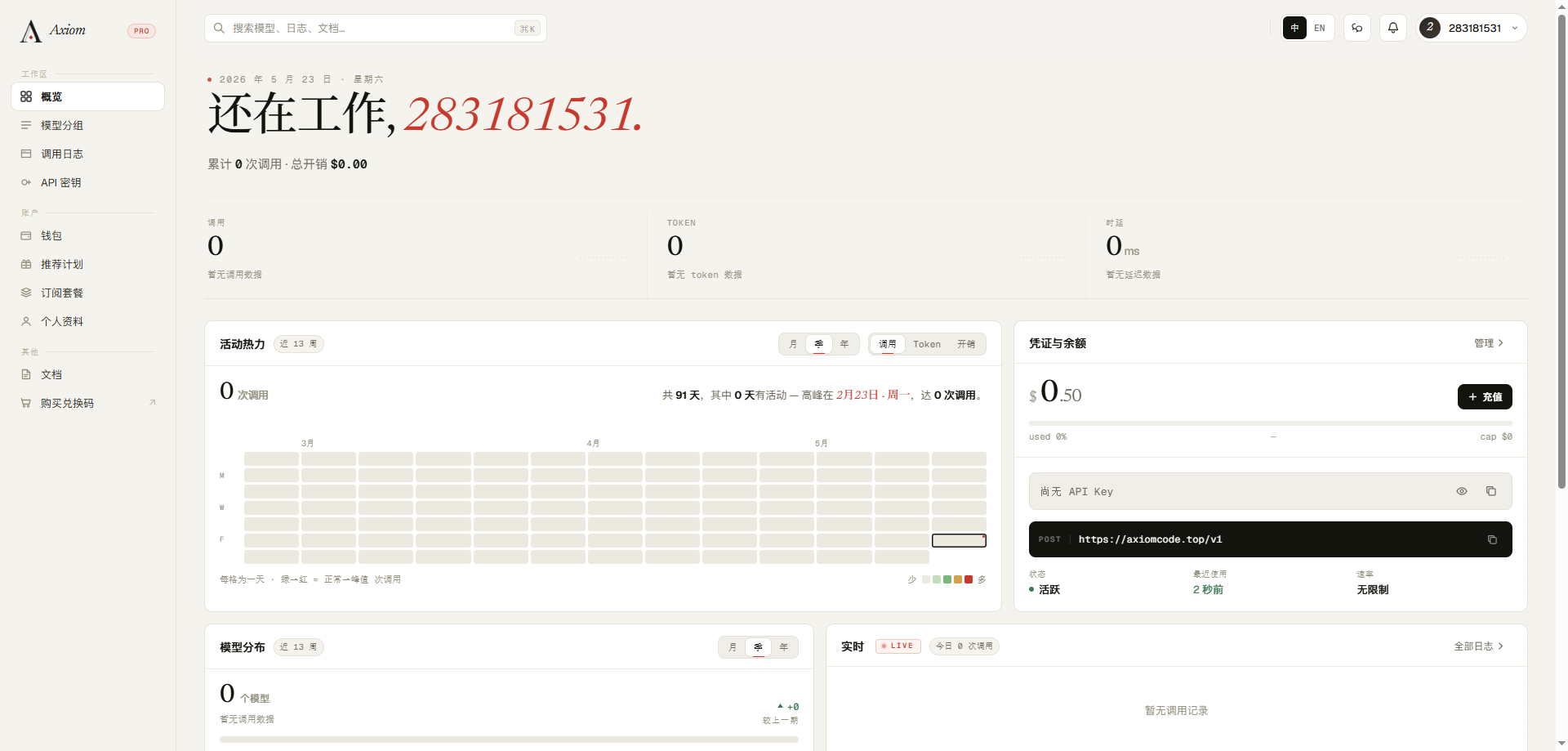
Sign in at https://axiomcode.top to enter the console dashboard.
Step 2: Find the API Keys Menu
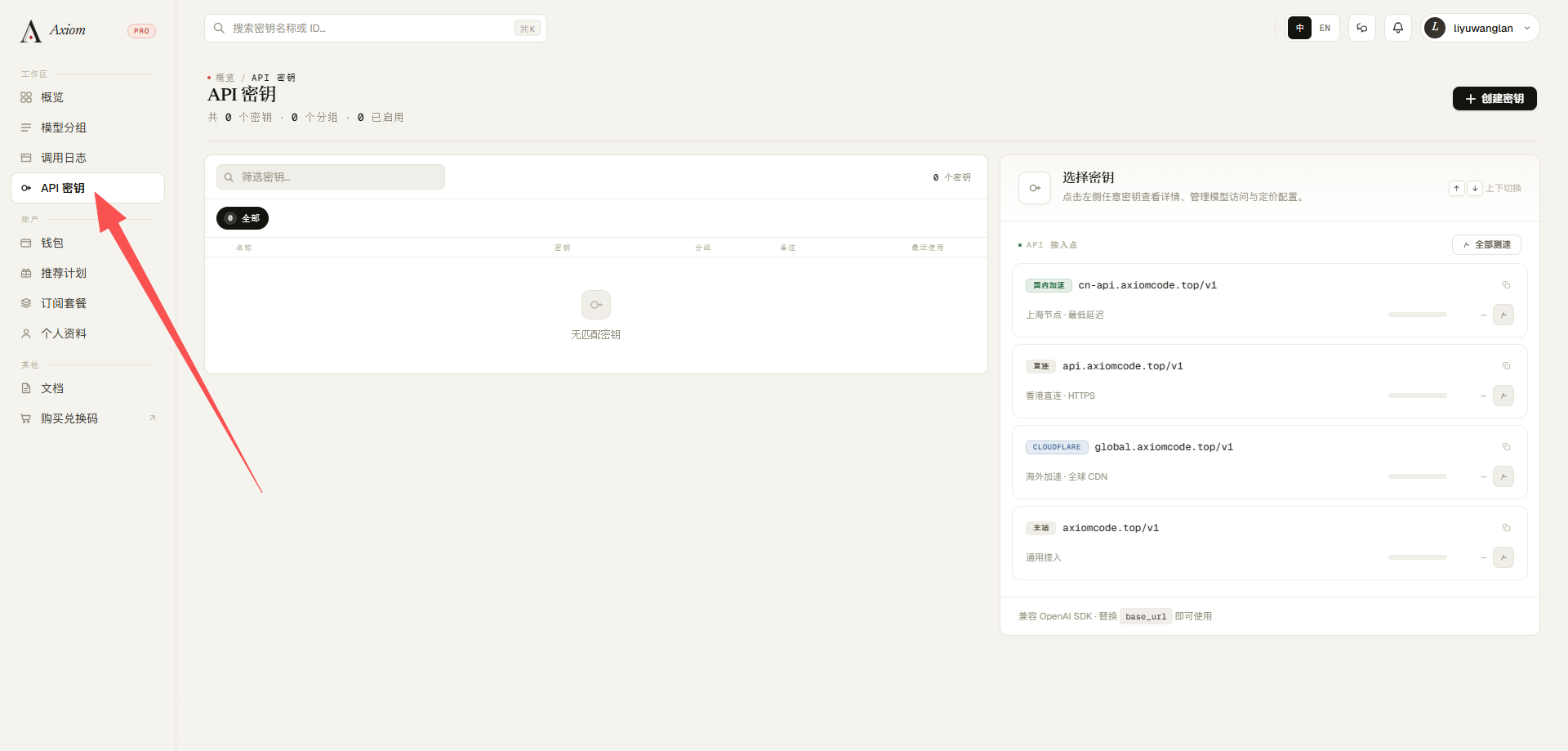
In the left-hand menu, click the "API Keys / Token Management" item (the icon is usually a key 🔑).
Sidebar collapsed?
Under some themes, the sidebar collapses into icons — hover over it to expand.
Step 3: View the Key List
Once inside, you land on the API key list page. New accounts usually see a "Create Key / New Key" button. The list typically includes these columns:
| Column | Meaning |
|---|---|
| Name | A custom label to help distinguish usage |
| Key | The sk-xxxx string, shown in full only once, at creation time |
| Status | Enabled / Disabled |
| Usage / Quota | This key's spend and limit |
| Created | —— |
| Actions | Edit, disable, delete |
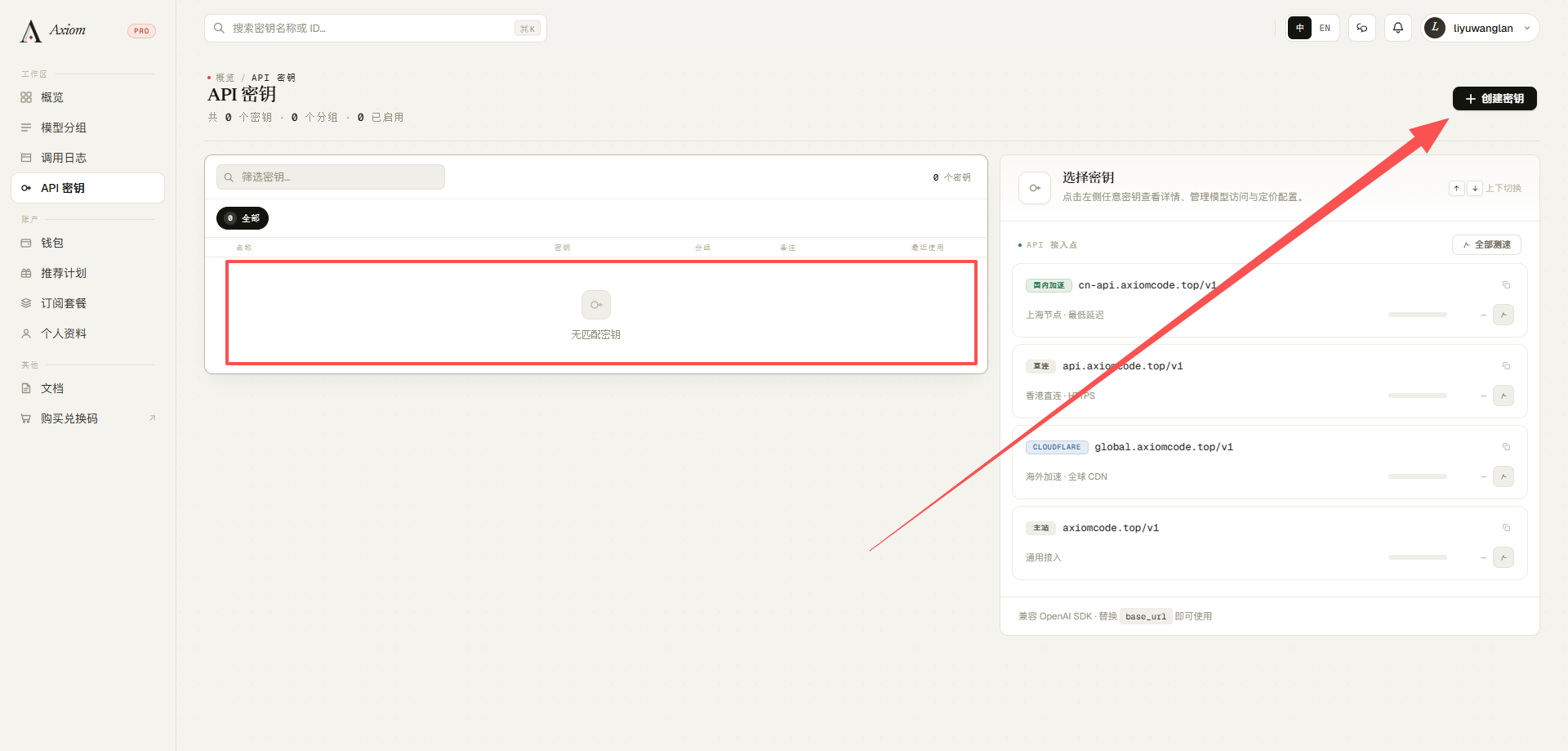
Next: 2.2 Create a Key