2.3 Integration Config
To integrate any client, you essentially need only two things: the endpoint address (Base URL) and an API Key. This section explains how to obtain them, and how the addresses differ between the two protocols.
Two Base URLs
AxiomCode provides two protocols at once, with different addresses — don't mix them up:
| Protocol | Base URL | Compatible Clients |
|---|---|---|
| OpenAI-compatible | https://axiomcode.top/v1 | Codex, OpenCode, OpenAI SDK |
| Anthropic-compatible | https://axiomcode.top | Claude Code, OpenClaw |
Mind the /v1
- The OpenAI protocol address must include
/v1. - The Anthropic protocol address must not include
/v1, or you will get a 404.
Trust What the Console Shows
For the actual Base URL, rely on what the console / keys page displays — AxiomCode occasionally adjusts the integration domain.
View Credentials and Balance
Open the console dashboard at https://axiomcode.top. The "Credentials and Balance" area on the right shows your integration details; clicking the "Integration Config" button in the key list pops up that key's address, allowed models, and other information.
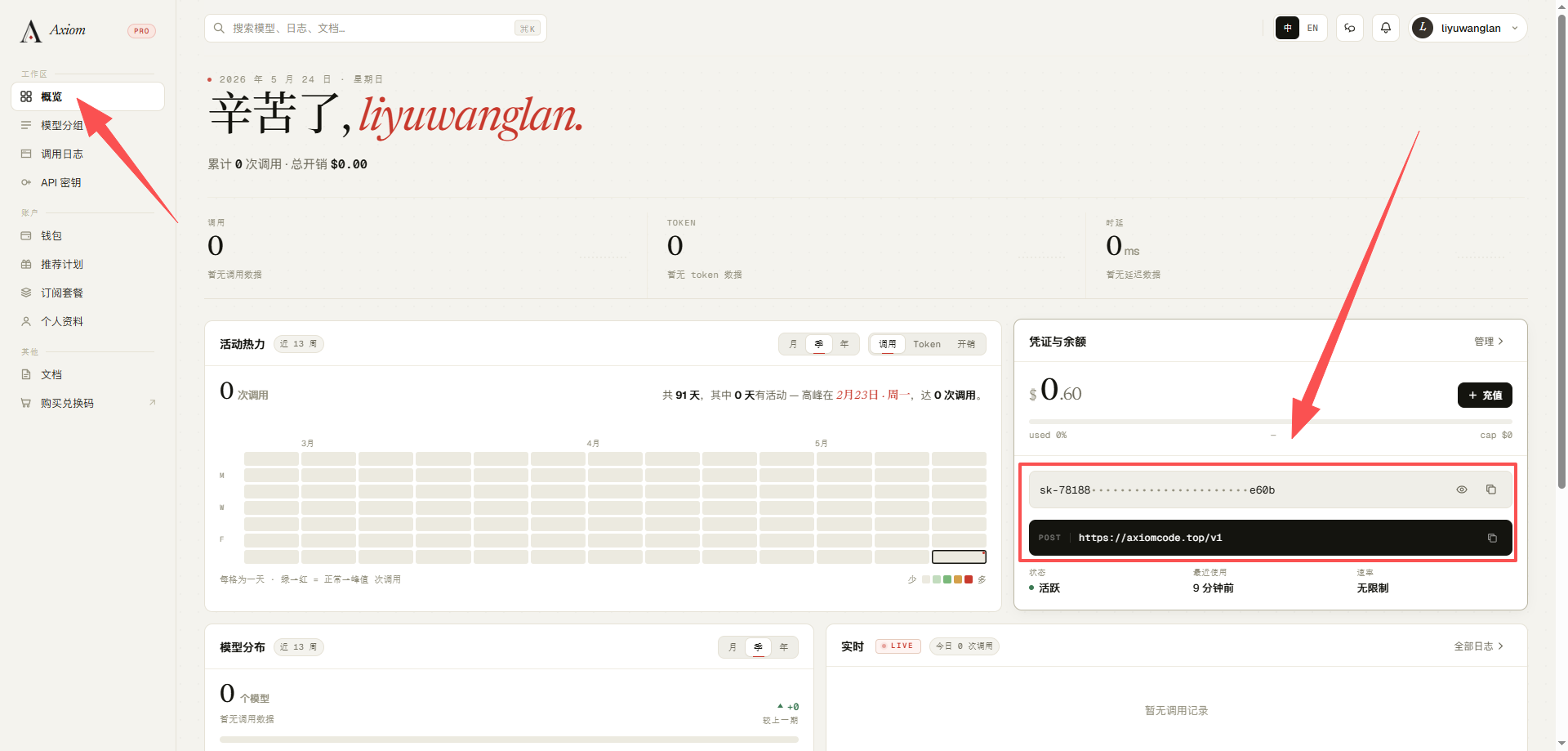
For the full list of model IDs, see Supported Models.
Environment Variable Examples
Write the address and key into environment variables, and most clients will read them automatically.
OpenAI protocol (Codex / OpenCode):
# macOS / Linux
export OPENAI_API_KEY="sk-axiom-your-Key"
export OPENAI_BASE_URL="https://axiomcode.top/v1"
Anthropic protocol (Claude Code / OpenClaw):
# macOS / Linux
export ANTHROPIC_API_KEY="sk-axiom-your-Key"
export ANTHROPIC_BASE_URL="https://axiomcode.top"
Windows users can set them permanently with PowerShell:
[Environment]::SetEnvironmentVariable("OPENAI_API_KEY", "sk-axiom-your-Key", "User")
[Environment]::SetEnvironmentVariable("OPENAI_BASE_URL", "https://axiomcode.top/v1", "User")
Never Leak Your Key
The most common accident is pushing a .env, config.toml, or config.json containing your key to a public repository. Always add them to .gitignore before committing.